Local LLM Inference Explained: Ollama, GGUF Quantization and the Math Behind Running AI on Your Own Machine
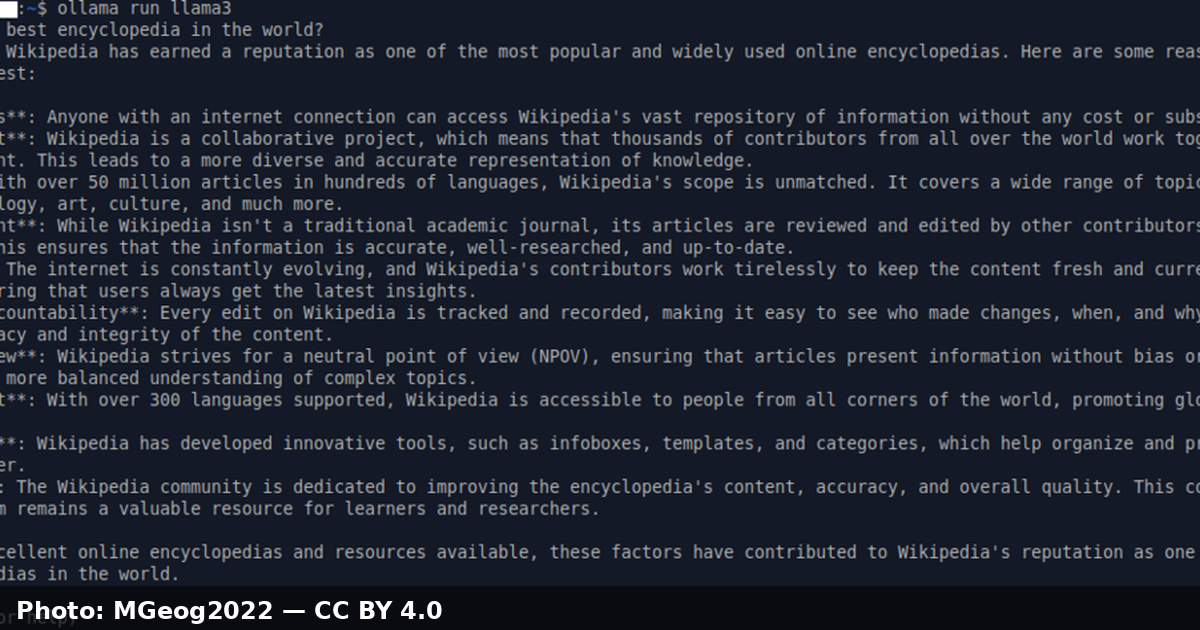
For most of the generative AI era, "using a model" meant sending your data to someone else's GPU. That is changing fast. Models in the 3B–30B parameter range now run comfortably on developer laptops, office workstations and single-GPU boxes, and the tooling around them has matured from hobbyist scripts into something you can actually ship behind an internal API.
Local inference is no longer just about privacy (although privacy is a huge win). It is about predictable cost — no per-token billing, no rate limits — offline resilience, and the ability to experiment with prompts and fine-tunes without leaking proprietary code to a third party.
But running a model locally forces you to confront facts that hosted APIs hide: memory bandwidth, weight precision, KV-cache growth, and the trade-off between speed and answer quality. This article explains those mechanics from first principles, then walks through a practical setup with llama.cpp, GGUF quantized weights and Ollama.
Table of Contents
- Why Local Inference Matters
- How LLM Inference Actually Works
- The Memory Math Behind Model Size
- Quantization and the GGUF Format
- The Local Inference Tooling Landscape
- A Real-World Example: An Offline Summarizer Service
- What Actually Determines Your Tokens per Second
- Key Takeaways
- Frequently Asked Questions
Why Local Inference Matters
Teams reach for local models for four recurring reasons:
- Data control. Source code, contracts, medical records and customer data never leave the machine. For many compliance regimes this turns a legal review into a non-event.
- Cost predictability. Hosted APIs bill per token, which makes heavy workflows — repo-wide summarization, log triage, synthetic data generation — expensive at scale. A local model has a fixed cost: the hardware you already bought.
- Latency and availability. A model on
localhosthas no network round trip, no cold starts, and keeps working when the office VPN or the vendor's status page does not. - Freedom to experiment. Temperature, system prompts, quantization level, even swapping in a fine-tuned variant — all of it is one config change away when you own the runtime.
The flip side is honest: you become responsible for model selection, memory sizing, updates and security. The rest of this article is about making those responsibilities tractable.
How LLM Inference Actually Works
Before tuning anything, it helps to know what happens between your prompt and the streamed reply.
Tokenization and the Forward Pass
Your input string is split into tokens by the model's tokenizer. Each token is mapped to an embedding vector, then pushed through a stack of transformer layers. The final layer produces a probability distribution (logits) over the entire vocabulary. A sampler picks the next token — greedily, or with temperature and top-p randomness — and that token is appended to the sequence and fed back in. Generation is a loop: one forward pass per token.
Prefill vs. Decode
Inference has two distinct phases:
- Prefill (prompt processing): all input tokens are processed in parallel. This phase is compute-bound — the more FLOPs your hardware can push, the faster the prompt is ingested.
- Decode (token generation): one token at a time, each pass re-reading the growing KV cache — the stored keys and values for every earlier attention layer. Decode is memory-bound: the GPU or CPU must stream the entire weight matrix from memory for every single token.
That asymmetry explains most of what you will observe in practice. Prompt processing scales with compute; generation speed scales almost linearly with memory bandwidth.
The KV Cache
Storing keys and values avoids recomputing attention for the whole prefix on every step, but it is not free. The cache grows proportionally with layers × context length × hidden size, so doubling your context window roughly doubles that portion of memory usage. Long chat sessions and large RAG payloads can therefore exhaust memory even when the weights themselves fit comfortably.
The diagram below summarizes the full generation loop:

The Memory Math Behind Model Size
Model memory is not mysterious — it is arithmetic. The weights alone need:
weight memory = parameters × bytes per weight
A 7-billion-parameter model at full FP16 precision needs 7e9 × 2 bytes = 14 GB. At 4-bit precision it needs 7e9 × 0.5 bytes = 3.5 GB. Add the KV cache (a function of context length) and a modest runtime overhead, and you get your working set.
| Quant | Approx. bits/weight | ~7B model weights | Relative quality |
|---|---|---|---|
| FP16 | 16 | ~14 GB | Reference (full precision) |
| Q8_0 | 8 | ~7 GB | Near-lossless |
| Q5_K_M | 5 | ~4.4 GB | Very close to reference |
| Q4_K_M | 4 | ~3.5 GB | Sweet spot for most uses |
| Q3_K_M | 3 | ~2.6 GB | Noticeable degradation |
| Q2_K | 2 | ~1.8 GB | Coarse; facts and reasoning suffer |
Rule of thumb: if a model "does not fit", quantize before you buy hardware. Moving from Q8 to Q4 halves your weight memory with a quality cost that is often smaller than swapping to a weaker model entirely.
Mapping Hardware to Model Size
- 8 GB RAM/VRAM: comfortable 3B–7B models at Q4, usable up to ~8B at Q5 with short contexts.
- 16 GB: the 12B–14B class at Q4/Q5 becomes realistic; this is the current developer laptop sweet spot.
- 24 GB: 30B-class models at 4-bit, or 7B–8B models with long contexts and generous KV cache.
- 32 GB+ unified memory (e.g. Apple Silicon): room for larger MoE-style models and long-context workloads.
Exact figures vary with context length and runtime, so treat these as planning bands rather than guarantees.
Quantization and the GGUF Format
Quantization compresses the floating-point weights of a trained model into lower-precision representations, then reconstructs them approximately at load time. The modern open-source standard for this is GGUF — the format used by llama.cpp and, by extension, most local runtimes built on top of it.
Why GGUF Won
GGUF succeeded because of pragmatism: it is a single self-describing file containing the weights, tokenizer, chat template and metadata, so a model ships as one artifact with no sidecar files. Earlier formats fragmented the ecosystem; GGUF made "download one file, run it" the default workflow.
k-quants and Importance Matrices
Not all weights matter equally. Early quantizers treated every weight the same; modern k-quants (Q4_K_M, Q5_K_M, and friends) quantize in blocks and use extra bits for outlier weights that disproportionately affect output quality. Importance-matrix (imatrix) calibration goes further: you run the quantizer over a sample of representative text, measure which weights actually influence the loss, and protect those during quantization. For a domain-specific model — say, one that only ever summarizes your internal tickets — calibrating the imatrix on a sample of your own data is a cheap, meaningful quality boost.
Choosing a Quant Level
A practical decision sequence:
- Start with Q4_K_M — the default recommendation for a reason.
- If the model answers factual or code questions poorly, try Q5_K_M before blaming the model.
- Only go to Q3 or Q2 if hardware forces you; at that point, compare against a smaller model at Q4.
- If you have VRAM to spare, Q8_0 gives you outputs that are difficult to distinguish from FP16 for most tasks.
The Local Inference Tooling Landscape
| Tool | Best for | Notes |
|---|---|---|
llama.cpp |
Maximum control, edge/embedded targets | The reference C/C++ engine; GGUF origin; CPU, CUDA, Metal, Vulkan backends |
| Ollama | Developer laptops and quick APIs | Wraps llama.cpp behind a single CLI and REST API; model library and tags |
| LM Studio | Non-terminal users, exploration | GUI for browsing, quant selection and local server |
| vLLM | Production serving on GPUs | Continuous batching and PagedAttention; optimized for many concurrent users |
| llamafile / MLX | Distribution and Apple Silicon | Single-file executables; MLX is tuned for Apple GPUs |
For an individual developer, Ollama is usually the fastest path; for a multi-user production endpoint, look at vLLM or a dedicated serving stack.
Getting Started with Ollama
Installation is a package manager command on macOS, Linux or Windows, or a container:
docker run -d -p 11434:11434 --name ollama ollama/ollama
Pull a model and talk to it:
ollama pull llama3.2:3b
ollama run llama3.2:3b "Explain the difference between prefill and decode."
Every model is addressable over HTTP on port 11434, which makes wiring it into a service trivial:
curl http://localhost:11434/api/chat -d '{
  "model": "llama3.2:3b",
  "messages": [{"role": "user", "content": "Summarize this changelog in two bullets."}],
  "stream": false
}'
Useful commands to know: ollama list shows installed models and their sizes, ollama ps shows what is currently loaded in memory, and ollama rm unloads a model you no longer need.
A Real-World Example: An Offline Summarizer Service
Suppose your CI pipeline wants to summarize test failures or generate release notes, but sending logs to an external API is off-limits. A small local service is enough:
import os
import requests

OLLAMA_URL = os.environ.get("OLLAMA_URL", "http://localhost:11434")
MODEL = os.environ.get("OLLAMA_MODEL", "llama3.2:3b")

SYSTEM = (
    "You are a build assistant. Summarize the input in at most three "
    "bullets. Mention file names exactly as they appear. If the input "
    "contains no errors, reply ONLY with: NO_ERRORS"
)

def summarize(log_text: str) -> str:
    response = requests.post(
        f"{OLLAMA_URL}/api/chat",
        json={
            "model": MODEL,
            "messages": [
                {"role": "system", "content": SYSTEM},
                {"role": "user", "content": log_text},
            ],
            "options": {"temperature": 0.2},
            "stream": False,
        },
        timeout=60,
    )
    response.raise_for_status()
    return response.json()["message"]["content"].strip()

if __name__ == "__main__":
    print(summarize(open("build.log").read()))
Design notes that carry over to bigger deployments:
- Low temperature for deterministic, extraction-style tasks.
- A hard output contract in the system prompt (
NO_ERRORS) keeps downstream parsing simple — and pairing this with grammar-constrained decoding, where your runtime supports it, makes it structural rather than aspirational. - Keep the model warm. Cold-loading a model from disk adds seconds to the first request;
ollama pstells you what is resident. - Put a queue in front of it. A laptop CPU happily serves one request at a time; concurrent traffic needs batching or more hardware.
What Actually Determines Your Tokens per Second
Once things feel slow, resist the urge to tune randomly. In rough order of impact:
- Memory bandwidth. For decode, this is almost everything. Apple Silicon's unified memory and modern data-center GPUs win for exactly this reason.
- Quantization level. Fewer bytes per weight means fewer bytes streamed per token — a direct, near-linear speedup on memory-bound hardware.
- Model size. A 3B model at Q8 will usually beat a 30B model at Q4 on a constrained machine.
- Context length. Longer prompts mean a bigger KV cache to read on every step; they also slow prefill.
- Batching strategy. Server runtimes like vLLM batch concurrent requests to keep hardware busy; a naive loop cannot.
- Compute backend. Running a GPU-capable model in CPU mode (or vice versa) is the classic silent bottleneck — check the startup logs for which backend actually loaded.
Caution: quantization is a real trade-off, not a free lunch. Benchmark on your tasks — a Q4 model can hold up beautifully on summarization yet stumble on multi-step arithmetic or long-range code reasoning. Track a small golden set of prompts and compare answers across quant levels before standardizing.
The honest summary: local inference is a systems problem wearing an AI hat. The model gives you the ceiling; bandwidth, memory and batching decide how close you get to it.
Key Takeaways
- Inference splits into a compute-bound prefill phase and a memory-bound decode phase; generation speed is mostly a function of memory bandwidth.
- Memory usage is simple arithmetic:
parameters × bytes per weight, plus a KV cache that grows with context length. - GGUF k-quants like
Q4_K_Mare the practical default — roughly a quarter of FP16 memory for a small, often imperceptible quality loss on everyday tasks. - Ollama gives you a model-backed REST API in minutes;
llama.cppand vLLM are the go-tos for deep control and production serving respectively. - Always benchmark quant levels against a small golden set of your own prompts before committing a model to a workflow.
Frequently Asked Questions
Is a local model as good as a hosted frontier model? For narrow, well-scoped tasks — summarization, classification, rewriting, internal search — a good 7B–14B local model is often indistinguishable in practice. For deep reasoning, very long contexts or broad world knowledge, frontier hosted models still lead. Many teams run both: local for volume, hosted for the hard 5%.
How much RAM do I actually need? Take the model's file size (that is your weight memory at its quant level), add roughly 10–20% runtime overhead, then add KV-cache headroom for your typical context length. If you plan for 8K–16K contexts, a few extra gigabytes beyond the file size is a sane starting budget.
What is the difference between GGUF and an older format like GGML?
GGML was llama.cpp's original format; GGUF replaced it with a cleaner, extensible metadata structure and a versioned header. GGUF is the format you want today — GGML files are effectively legacy.
Does quantization damage a fine-tuned model more than a base model? It can. Fine-tuning often nudges weights in ways that matter for a narrow task, and aggressive quantization (Q3 and below) can erode those gains. Start fine-tuned models at Q4 or Q5 and validate against your acceptance prompts.
Can I serve multiple users from one local model? Yes, but design for it: server runtimes with continuous batching (such as vLLM) handle concurrency far better than a request-by-request loop. If traffic is bursty, put a queue and a fixed-size worker pool in front of the runtime.
Related Articles
- RAG Explained: A Practical Guide to Building AI-Powered Applications with Retrieval-Augmented Generation
- Model Context Protocol Explained: How to Connect AI Agents to Tools and Data with MCP
- Building Production-Ready AI Agents with LangGraph
- Structured Outputs Explained: Turning Unreliable LLM Text into Valid JSON


가중치가 메모리에 들어가는 것과 긴 문맥을 안정적으로 처리하는 것을 구분한 설명이 좋습니다. 오프라인 요약기 예시라면 문맥 길이를 늘려가며 최대 메모리와 첫 토큰 대기 시간을 따로 재보면 병목을 찾기 쉽겠네요. 로컬 실행 여부와 별개로 원문이 남는 로그의 보관 범위도 함께 점검하면 데이터 통제라는 목적에 더 잘 맞을 것 같습니다.
ReplyDelete