Python Execute System command or Call a program
Python system call
In computing, a system call (commonly abbreviated to syscall) is the programmatic way in which a computer program requests a service from the kernel of the operating system on which it is executed. This may include hardware-related services (for example, accessing a hard disk drive or accessing the device’s camera), creation and execution of new processes, and communication with integral kernel services such as process scheduling. System calls provide an essential interface between a process and the operating system. In this post we understand how we can perform the system call with the standard python library.
Standard Library to perform system Call
- os Library
- Subprocess Library
- poxis Library
Let’s start with understanding the each standard library and the way to achieve system call.
OS Library
Python OS module allows us to use the operating system dependent functionalities and to interact with the underlying operating system in several different ways. For example, we can work with files, change the environment variables, and we can move files around, etc. This is as same as overriding all the os built-in functionalities in a module and using them in a file I/O and system handling.
[os.system](https://docs.python.org/3/library/os.html#os.system)passes the command and arguments to your system’s shell. This is better because you can actually run multiple commands at once in this manner and set up pipes and input/output redirection. For example:
os.system("some_command < input_file | another_command > output_file")
However, while this is convenient, you have to manually handle the escaping of shell characters such as spaces, et cetera. On the other hand, this also lets you run commands which are simply shell commands and not actually external programs.
Example to execute cmd command:
import os
cmd = 'date'
os.system(cmd)
Output:
The current date is: Fri 02/18/2022
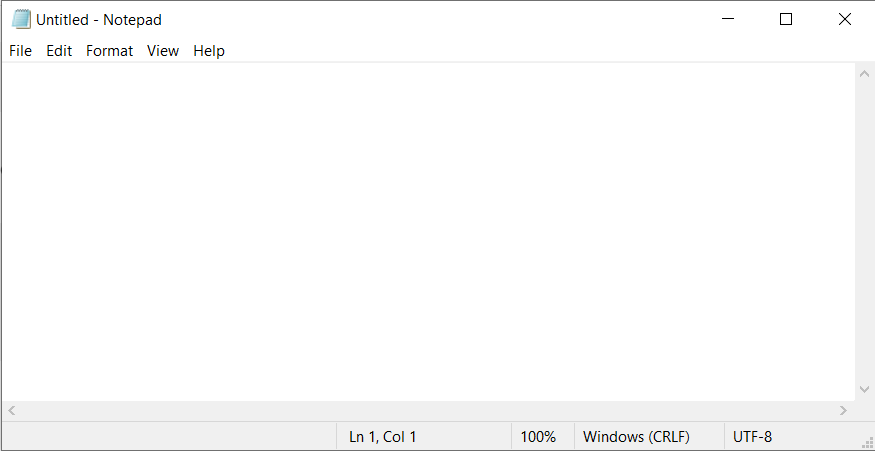
Example to open application:
import os
cmd = 'notepad'
os.system(cmd)
Output:
Notepad
2. os.popen will do the same thing as os.system except that it gives you a file-like object that you can use to access standard input/output for that process. There are 3 other variants of popen that all handle the i/o slightly differently. If you pass everything as a string, then your command is passed to the shell; if you pass them as a list then you don’t need to worry about escaping anything. Example:
print(os.popen("ls -l").read())
Subprocess Library
The s[ubproces](https://docs.python.org/3/library/subprocess.html#module-subprocess)s module allows you to spawn new processes, connect to their input/output/error pipes, and obtain their return codes. This module intends to replace several older modules and functions:
os.system
os.spawn*
[subprocess.Popen](https://docs.python.org/3/library/subprocess.html#subprocess.Popen). This is intended as a replacement foros.popen, but has the downside of being slightly more complicated by virtue of being so comprehensive. For example, you’d say:
print(subprocess.Popen("echo Hello World", shell=True, stdout=subprocess.PIPE).stdout.read())
instead of
print(os.popen("echo Hello World").read())
but it is nice to have all of the options there in one unified class instead of 4 different popen functions. See the documentation.
2. [subprocess.call](https://docs.python.org/3/library/subprocess.html#subprocess.call). This is basically just like the Popen class and takes all of the same arguments, but it simply waits until the command completes and gives you the return code. For example:
return_code = subprocess.call("echo Hello World", shell=True)
3. [subprocess.run](https://docs.python.org/3/library/subprocess.html#subprocess.run). Python 3.5+ only. Similar to the above but even more flexible and returns a [CompletedProcess](https://docs.python.org/3/library/subprocess.html#subprocess.CompletedProcess) object when the command finishes executing.
import subprocess
subprocess.run(["ls", "-l"])
The advantage of [subprocess.run](https://docs.python.org/library/subprocess.html#subprocess.run) over [os.system](https://docs.python.org/library/os.html#os.system) is that it is more flexible (you can get the [stdout](https://docs.python.org/library/subprocess.html#subprocess.CompletedProcess.stdout), [stderr](https://docs.python.org/library/subprocess.html#subprocess.CompletedProcess.stderr), the “real” status code, better error handling, etc…).
Even the documentation for os.system recommends using subprocess instead:
The subprocess module provides more powerful facilities for spawning new processes and retrieving their results; using that module is preferable to using this function. See the Replacing Older Functions with the subprocess Module section in the subprocess documentation for some helpful recipes.
On Python 3.4 and earlier, use subprocess.call instead of .run:
subprocess.call(["ls", "-l"])
poxis Library
The posix module is works on the UNIX environment. It provides the Operating system functionality. We should not import this module directly. We can use the os module. The os module is acts as a superset of the posix module on UNIX. On non-Unix system the posix is not available, but the os is available with some less functionality.
import posix
fruit_fd = posix.open("fruits", 0)
print(fruit_fd) #The File Descriptor
val = posix.read(fruit_fd, 512)
   print(val)
      print("The Home Directory: " + str(posix.environ[b'HOME']))
Output:
$ python3 posix_example.py
3
b'Mango\nOrange\nBanana\nApple\nGuava\nGrape\nRaspberry\nBlueberry\nPineapple\nWatermelon\n'
The Home Directory: b'/home/unix_user


Comments
Post a Comment